01 About the project
The architecture concept connects buildings with the Northern Territory places they serve. An asymmetric photographic opening leads into a project map, sector filters and a record of the practice’s work.
An independent redesign concept exploring a possible direction for this business. This is a design study, with no verified client outcomes reported.
Explore website concept (opens in a new tab)The design challenge
Make a broad architectural portfolio easy to explore by both location and type of project.
A different direction.
Move through the design, from the first impression to the final detail. Drag the page control or scroll inside a preview.
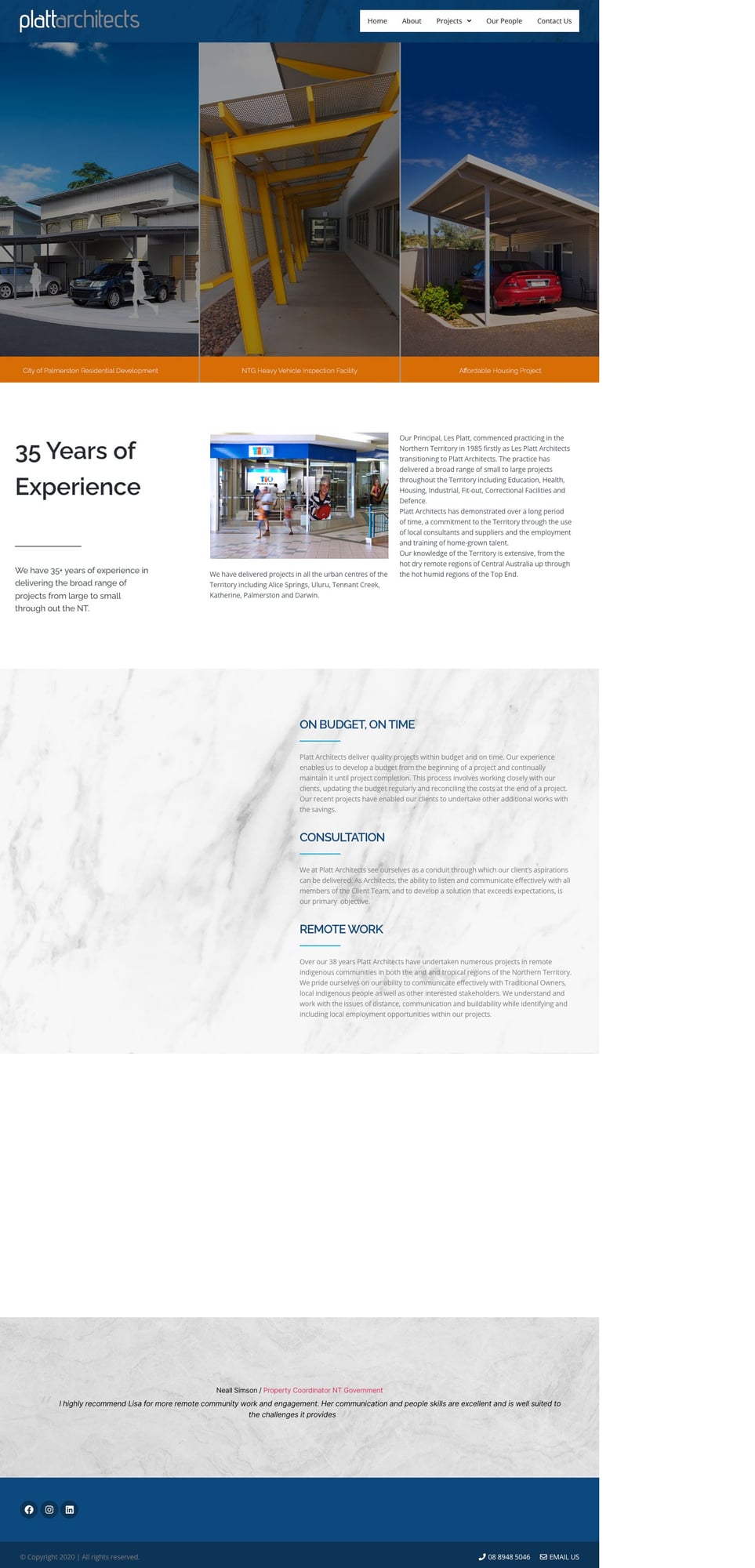
Archived homepage screenshot from before the redesign.
02 The design approach
The concept keeps the practice's own signature, three photos with orange caption bars, and recomposes it as a full-bleed opening at unequal widths with a navy headline panel set in a serif. A drawn map of the Northern Territory plots every project by place, annotated with the practice's tropical and arid design principles, because Territory clients brief by building type and by location. Copy is limited to what the practice publishes, and every page carries Enquire plus a visible phone number.
How it is built: speed, search, and images
Built for speed and search
The updated concept includes practical improvements to how visitors and search engines reach the content.
- A lighter first view
- The core service and project information is delivered as page content, so visitors can read it without waiting for an interactive tool to initialise. Images further down the page use lazy loading to reduce competing downloads in the first view.
- Search engine optimisation (SEO)
- Descriptive page titles, a clear main heading and readable service information give search engines context about the business and its work. Canonical page addresses identify the intended page URLs.
- Images sized for the screen
- Responsive image sources let the browser select a size suited to the screen. Cloudflare image delivery provides resized versions and automatic format selection.
Across devices / 03
One concept.
Every screen.
Explore the desktop and mobile layouts.
Open either screen to see the detail.
Design details
Built around
the experience.
- Asymmetric project photography
- Location map and sector filters
- An ordered project and awards archive
Search & clear answers
Clear answers.
Useful context.
The content gives visitors a clear picture of the business, its services, and the next step.
How this applies to Platt Architects
The concept connects its business identity with specific services and project information in readable page content. Visible FAQs add direct answers to customer questions. These are useful foundations for search and answer-based discovery.
What information is available beyond the photographs?
The page includes readable sections such as Selected work; CSIRO Alice Springs; Ampilatwatja Health Centre. These headings and their supporting copy explain the offer without asking readers or search tools to infer it from images alone.
Which questions does the concept answer?
The visible question headings include Where in the Northern Territory does Platt Architects work?; What kinds of buildings do you design?; Which stages of a project can you take on?. Keeping questions and answers in the page content makes the information easier to find and interpret.
Inside the website
Beyond the
first impression.
The About page, designed for Platt Architects.
A closer look
The details,
across screens.
The Projects page, presented at desktop and mobile widths.
Explore the concept
See how it
all connects.
Open the website concept to explore the layouts, navigation, and content for yourself.
Visit website concept (opens in a new tab)