Super Snapshot AI
- Chrome extension development
- Data export
- Report interfaces
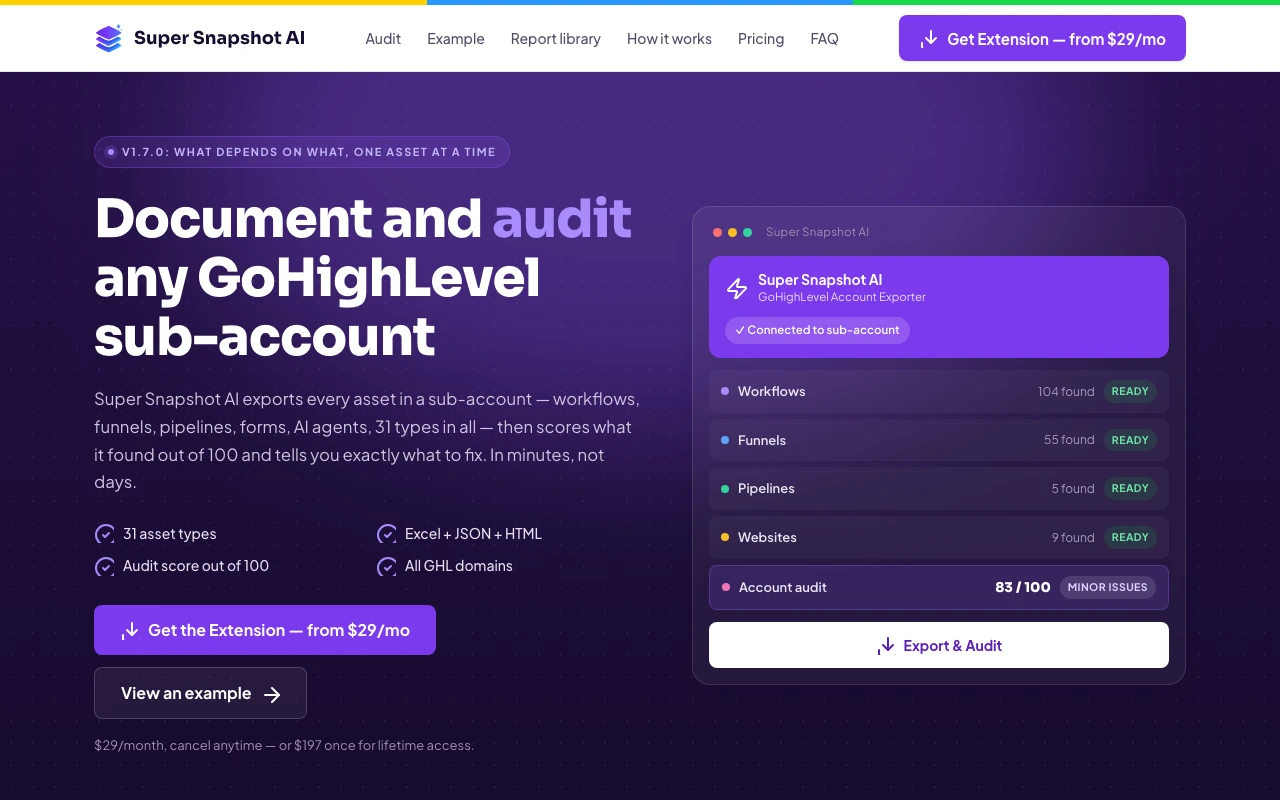
Vendrato built the Chrome extension for Super Snapshot AI, supporting the export and documentation of GoHighLevel account assets and their relationships.
Vendrato built the Chrome extension. The linked product website provides context for that work.
The brief
A complex account can contain workflows, funnels and other connected assets spread across many screens. Understanding that structure requires more than a list of names.
Design decisions
Turn scattered account information into usable documentation.
The extension brings extraction into the browser workflow and organises the resulting information for review. Structured exports and readable reports help users inspect what exists and how it connects.
- An extension workflow inside the browser.
- Structured export of account information.
- Readable documentation for reviewing connected assets.
The thinking behind the work
Make complex account work easier to explain and deliver.
Super Snapshot AI is a software engagement. The business value sits in the Chrome extension’s ability to turn account information into documentation that another person can inspect, understand and use.
Service delivery
Turn an account review into something tangible.
A GoHighLevel account can contain connected workflows, funnels and other assets. The extension brings the extraction of that information into the browser workflow, with structured exports and readable reports as the output. That gives the person reviewing the account a concrete record to work with instead of relying only on a live tour through separate screens.
For an agency or consultant, that record can support an audit, a handover or a discussion about further work. The commercial opportunity is clearer scoping: when the existing setup is easier to explain, a proposed service can be tied to specific account information. The value comes from helping the professional prepare the conversation.
Authority
Let the documentation support the explanation.
A recommendation is easier to discuss when the recipient can see what it refers to. Reports and structured exports put account assets and their relationships into a form that can be reviewed alongside the professional’s explanation. This gives the discussion a shared reference and makes technical work less dependent on verbal descriptions.
The interface therefore has to make the output understandable, not simply produce a large amount of data. Readable reports serve the person receiving the work as well as the person doing the extraction. That is how the extension can support a more professional service experience: by making the underlying account information available for inspection.
Ease of use
Keep the tool close to the task.
The project is a desktop Chrome extension, so the interaction belongs beside the account being reviewed. Bringing extraction into that context avoids making a separate mobile experience part of a task that starts in a desktop browser. The product’s format follows the working environment of its users.
The practical story is the route from account information to an organised output. Each stage needs to make the next action understandable, from starting the extraction to reviewing what has been produced. A clear workflow supports repeated use by professionals who need to document different accounts and explain their findings to different audiences.
The experience in practice
From account information to a useful conversation.
Review the account
Start with the account and the assets that need to be understood.
Export the structure
Use the extension to collect information into structured outputs.
Explain the work
Use the documentation as a reference for review, handover or service scoping.