Japanese 4x4 Export Corporation
- Website development
- Inventory platform
- Enquiry experience
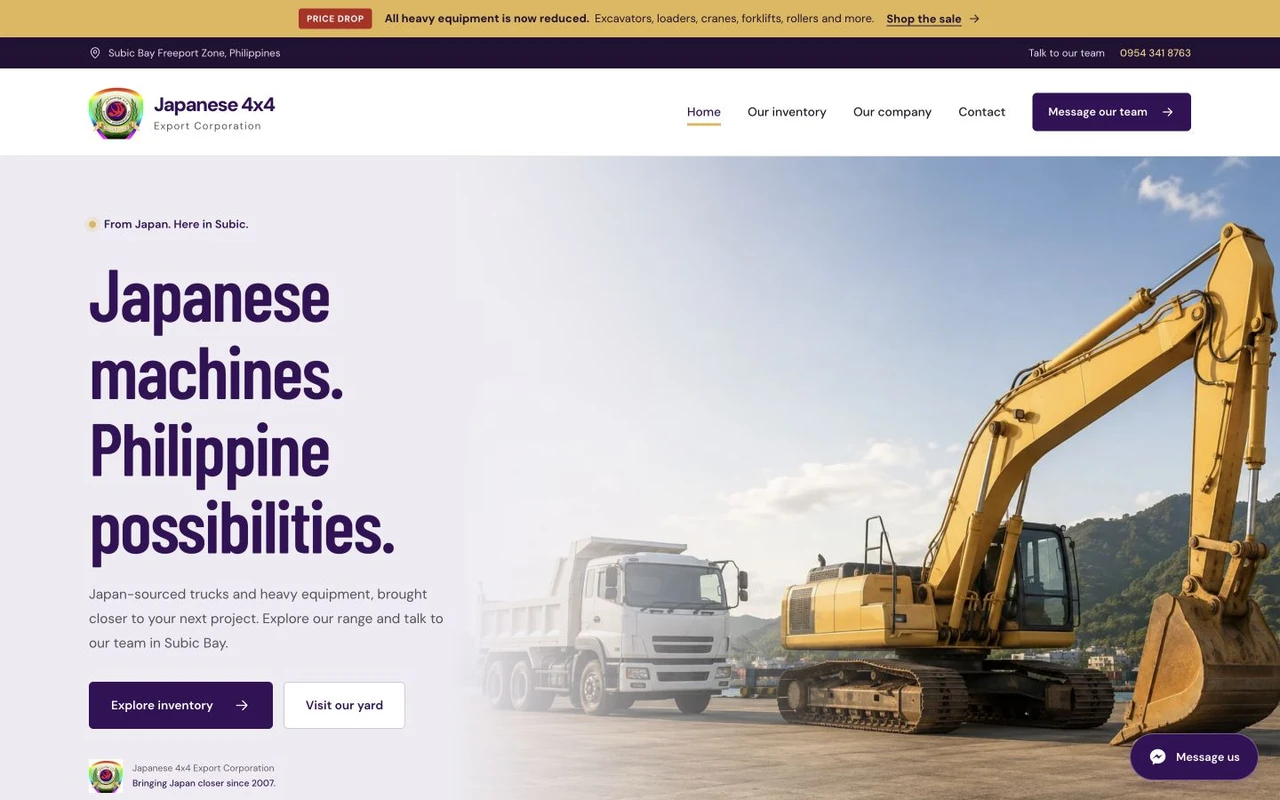
A public inventory website for Japanese 4x4 Export Corporation, helping visitors explore trucks and heavy equipment, inspect individual units and contact the team.
The brief
Equipment buyers need more than a brand introduction. They need to find relevant units, inspect useful details and ask about the exact vehicle they are considering.
Explore the complete design.
Move through the design, from the first impression to the final detail. Drag the page control or scroll inside a preview.
Design decisions
Make inventory the centre of the experience.
The site connects inventory browsing with individual unit pages and direct enquiries. Product information and photographs give each unit its own place, supported by an inventory management workflow.
- Browsable vehicle and equipment inventory.
- Dedicated pages for individual units.
- Direct enquiry routes connected to the stock.
Across devices
Inspect a unit from your phone.
The mobile experience prioritises unit photographs, key information and an accessible route to the sales team.
The thinking behind the work
Give an equipment enquiry a specific starting point.
Japanese 4x4’s website is organised around the trucks and heavy equipment visitors come to inspect. Browsable inventory, individual unit pages and direct enquiry routes connect the company’s public introduction with the practical process of looking at a particular vehicle or machine.
Inventory discovery
Put the stock within the browsing journey.
The website gives the inventory its own place rather than relying on the company introduction to carry the sales conversation. Visitors can explore the range and continue towards a relevant unit. This makes the stock the starting material for the experience, with the business identity providing context around it.
The intended commercial benefit is a clearer route from general interest to specific consideration. A buyer looking for equipment has a practical task to complete before contacting the team. Browsing the inventory supports that task and gives the website a purpose beyond confirming that the company exists.
Unit consideration
Let each vehicle explain more of the offer.
Dedicated unit pages bring photographs and product information together. They give visitors a place to inspect a particular vehicle or machine, rather than piecing together its identity from a general gallery. The page becomes a reference point for the next conversation about that unit.
That structure is designed to support more focused enquiries. The buyer can arrive with a particular unit in mind and use its details to frame questions for the team. The sales discussion can then build on the information presented, while the team remains responsible for answering questions and confirming the current offer.
A useful sales reference
Connect the public stock presentation with ongoing work.
The project includes an inventory management workflow supporting the public stock presentation. Giving unit information a consistent structure creates a maintainable home for the material customers need to review. Direct enquiry routes then connect that information with the people handling the sales conversation.
The mobile experience prioritises unit photographs, key information and contact access. This lets the same inventory presentation serve someone at a desk or looking on a phone. The business rationale is to make the stock easier to inspect and discuss, keeping the website connected to real enquiries about individual equipment.
The experience in practice
From the inventory to a focused equipment conversation.
Browse the range
Explore the public truck and heavy-equipment inventory.
Inspect a unit
Open its dedicated page to review photographs and product information.
Ask about that unit
Use the direct enquiry route to discuss the equipment with the team.